What a print shop expects from your file
Most online print shops check every file automatically before it goes into production. These are the points that come up most often:
- Trim size: the file must match the size you ordered, and the print shop must be able to tell where to cut. In a PDF, that’s the trim box.
- Bleed: anything meant to reach the edge has to extend about 3 mm (⅛ in) past it on every side. Otherwise trimming can easily leave thin white slivers.
- CMYK instead of RGB: screens mix colors from light (RGB), presses from ink (CMYK). An RGB file gets converted at the print shop – and bright tones often come out duller than expected.
- Embedded fonts: if a font is missing from the file, it gets substituted and the text shifts.
- Image resolution: around 300 dpi at the actual printed size is the usual guideline for sharp results.
- Ideally PDF/X: this print standard ties all of the above together and names the color profile the file is intended for.
Word: great for text, not for print files
Word saves a PDF at exactly the page size you set, and for a letter that’s perfectly fine. For printed matter, though, the key settings are missing:
- No bleed: Word has no area beyond the page, so full-bleed color areas or photos can’t be set up properly.
- RGB colors: the PDF contains colors the way your screen shows them. Conversion to CMYK only happens at the print shop – without you seeing the result first.
- Compressed images: by default Word reduces inserted pictures to 220 ppi unless you turn that off in the options.
- No print standard: Word doesn’t save PDF/X and doesn’t write its own trim box, so the print shop has to assume the page itself is the trim size.
Does that mean a Word PDF always gets rejected? No. If nothing reaches the edge, many print shops accept it and convert the colors themselves. But if you want to know in advance what ends up on paper, you need a file that answers these questions itself.
Canva: great on screen, a plan question for print
Canva has its own “PDF Print” download with 300 dpi, bleed and crop marks – that already gets you a long way. The difference is the color profile: according to Canva’s help center, CMYK is only available on paid plans (Canva Pro, Teams, Education and Nonprofits).
On top of that, Canva works with an account and stores your designs in the cloud. For many people that’s exactly what makes it convenient. If your flyer contains prices, customer data or internal details, you might prefer to keep it on your own device.
And to be fair: with its huge template library, Canva is unbeatable when you’re looking for an idea fast. LaydoStudio doesn’t have one – here you start with the right format and design it yourself.
Print features – all free in LaydoStudio
LaydoStudio has a Pro plan too. But it’s there for convenience – unlimited pages, automatic saving, the Brand-Kit, mail merge, IDML export – not for getting a correct PDF. Everything a print shop checks is included for free, no account needed:
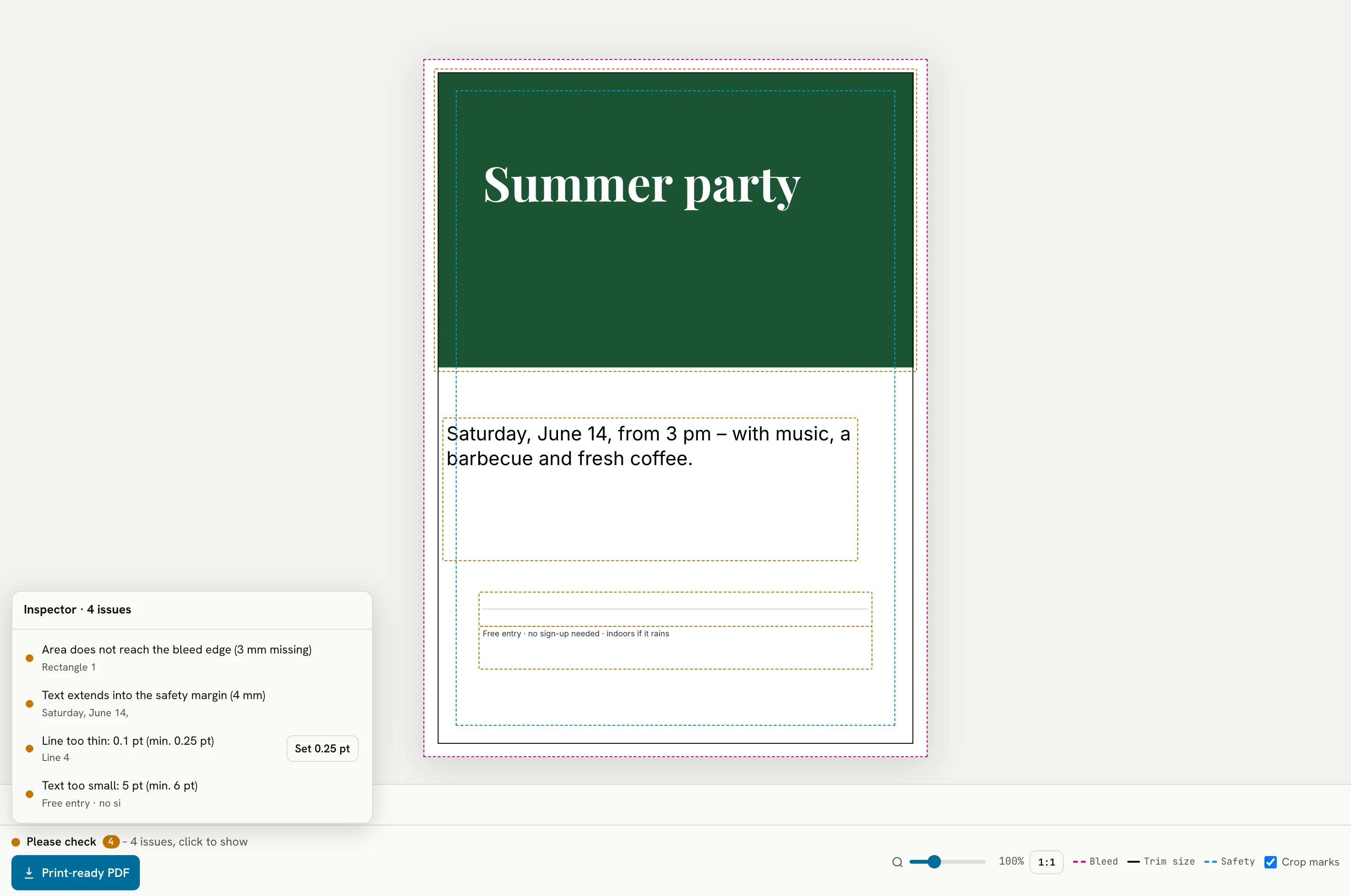
- Bleed and safety margin from the first click, crop marks if you want them. If something reaches the edge while they’re off, LaydoStudio points it out before you export.
- Real CMYK: colors and images are converted on export, with an embedded color profile (PSO Coated v3/FOGRA51 by default, GRACoL2013 for inch/US users), marked PDF/X-4 and including trim and bleed boxes.
- Fonts permanently embedded: 20+ fonts built in, and you can upload your own.
- Images under control: the live print check shows whether an image is sharp enough. Oversized images are capped at 300 dpi at printed size on export – never upscaled.
- No upload: the editor runs in your browser, and your designs never leave your device.
More than a clean export
On top of that come tools that make the difference for printed matter:
- Logos from Illustrator or PDF: AI and PDF files stay real vector artwork, crisp at any size.
- Colours that go together: the harmony tool reads the colour mood from a photo or logo and tunes new objects to match. Brightness, contrast and saturation of your images you adjust right in the editor.
- QR codes and barcodes right in your layout, also as vector graphics.
- Envelopes and letterhead: the formats come with the window position per DIN 680 or the fold marks as non-printing guides.
- Cut contours for stickers and labels: as a real spot color that cutting plotters recognize.
- Multiple copies with Snuglay: one click sends your design to the free sister tool, which fits as many copies as possible onto a sheet or roll.
- With Pro: mail merge from Excel for name badges and tickets, plus IDML export so a designer can keep working in InDesign.
With Pro: your look in one place
If you need print pieces regularly, you end up retyping the same address, colours and logo again and again. The Brand-Kit keeps them together in one place:
- Company details and team entered once – contact block, footer or return address go in with a click, and business cards for the whole team come out as a series.
- Brand colours with exact CMYK values, read straight from your logo if you like.
- Logo and brand fonts – the logo lands in its place automatically, and new text starts in the right font.
- Change it once, up to date everywhere: the details stay linked to the Brand-Kit.
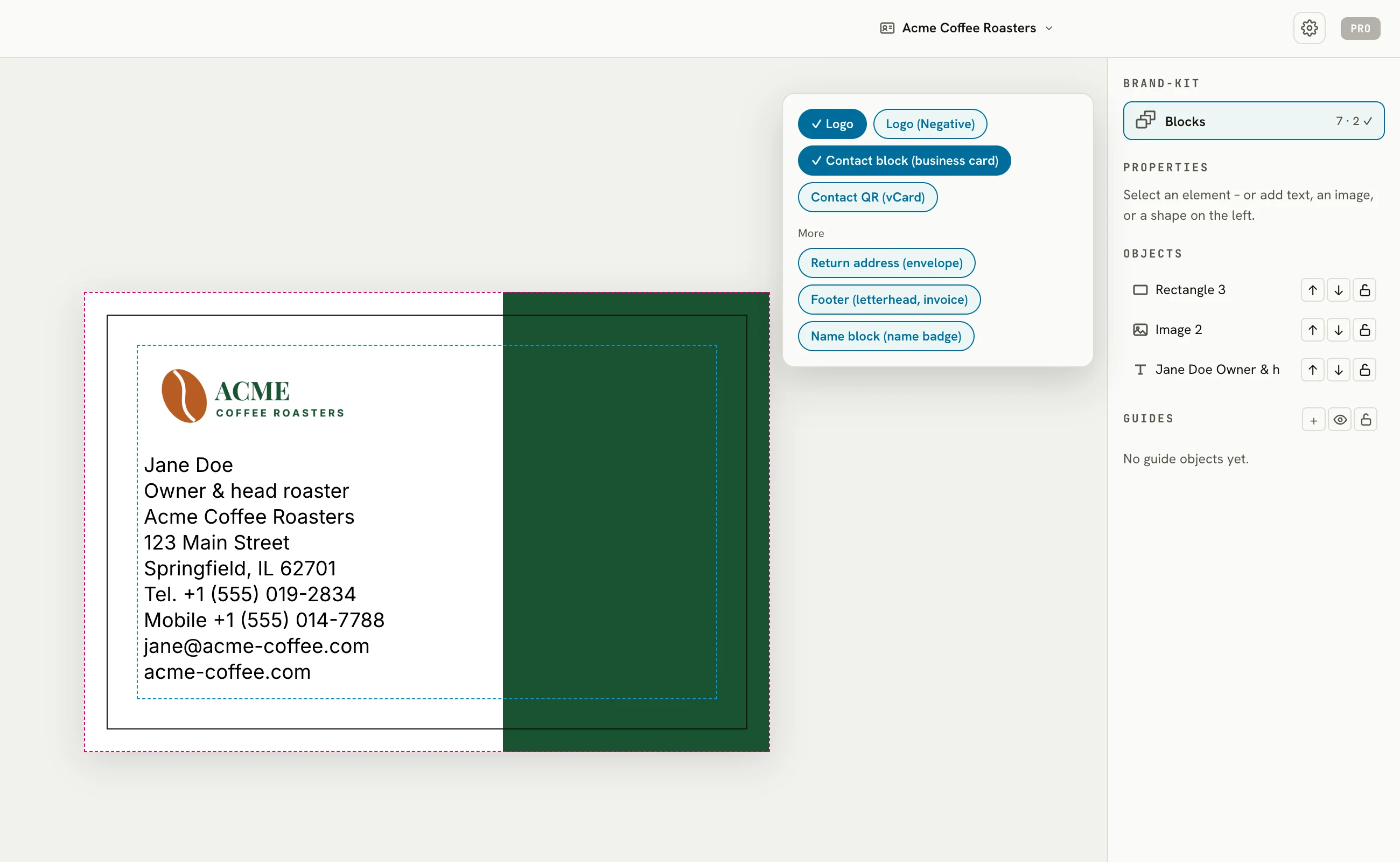
Same name, different idea: Canva’s Brand Kit is a collection of logos, colours and fonts you pick from while designing, or apply to a design with a click. LaydoStudio’s Brand-Kit also knows your company details and your team, inserts ready-made blocks, places the logo by rules for each kind of print piece – and stays linked to your documents.
With Pro, LaydoStudio saves your documents automatically – to a folder of your choice or in your browser’s local storage, never on our servers.
Side by side
| Word | Canva | LaydoStudio | |
|---|---|---|---|
| Made for | Letters, text, reports | Social media, presentations, graphics | Printed matter |
| Templates | document templates | huge library | none – you start with the right format |
| Bleed & crop marks | no | yes, with the “PDF Print” download | yes, set up automatically |
| CMYK colors in the PDF | no (RGB) | paid plans only | yes, free |
| Image resolution | compressed to 220 ppi by default | 300 dpi | original, capped at 300 dpi on export, with live check |
| Company details & team | Quick Parts, inserted as a copy | – | with Pro: entered once, inserted as blocks, team business cards as a series |
| Colours, logo, fonts in one place | Themes (colours, fonts) | Brand Kit on paid plans – to pick from, designs switchable with a click | with Pro: brand colours with CMYK values, logo rules per print piece |
| Changes reach existing documents | no | no, apply again per design | yes, details stay linked |
| Print features without a subscription | – | CMYK only with a paid plan | all |
| Account required | – | yes | no |
Canva details per the Canva help center (file types, Brand Kits, applying Brand Kit colours), Word details per Microsoft support; as of September 2026.
What if I keep using Word or Canva?
You don’t have to give them up. Copy your text across, add photos as images. Logos and graphics in PDF or AI format stay real vector artwork in LaydoStudio, crisp at any size. That way the draft happens wherever it’s easiest for you, and the print file where it’s right.