EDITOR & EXPORT FREE · NO ACCOUNT · NO UPLOAD
Your layout.
But print‑ready.
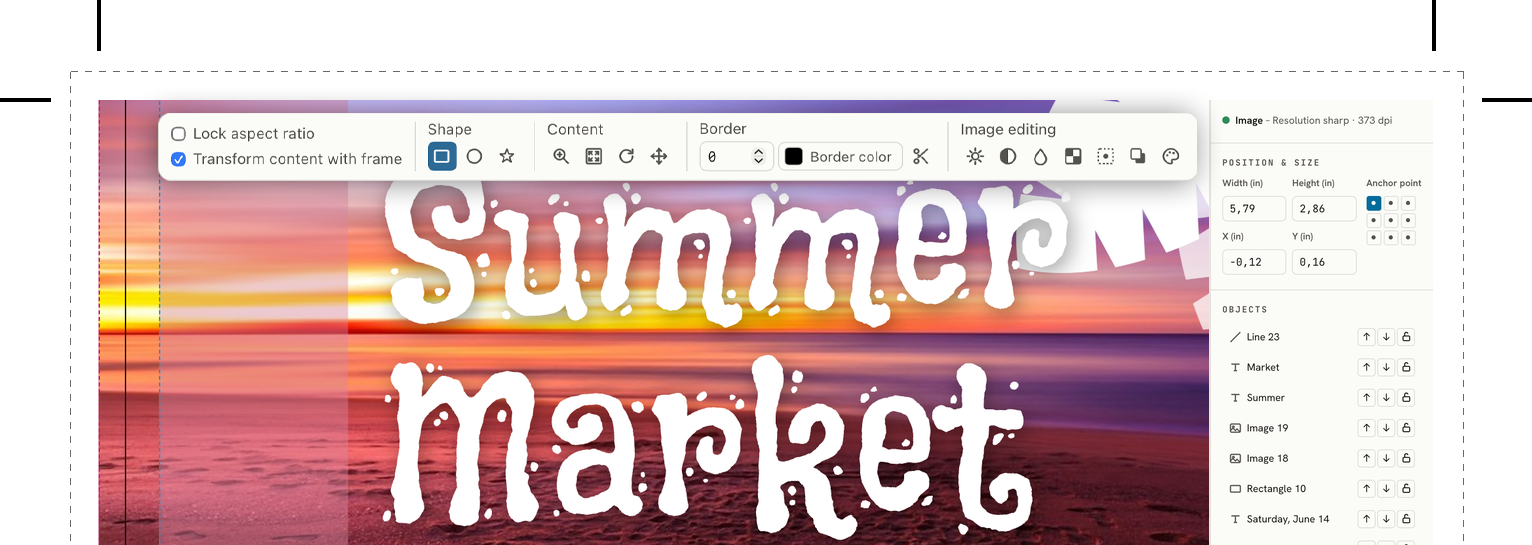
LaydoStudio is the layout editor for everyone who isn't a design studio: create flyers, business cards and posters right in your browser – with bleed, safety margin and real CMYK PDF export built in from the start.
Open the app, then choose File → Add to Dock in Safari’s menu bar (macOS Sonoma or later).
20+ EMBEDDED FONTS · CMYK PDF/X‑4 EXPORT
LaydoStudio · editorlive in the browser
Print-ready
FOGRA51 · GRACoL2013PDF/X‑4 export
Who it's for
Find yourself first
Four very different jobs land in the same editor. Pick the one that's yours.
Running a business, not a design studio
No in-house designer, and hiring one for a single flyer or business card doesn't make sense. A card made in Word gets rejected at the print shop – bleed and CMYK aren't optional there. LaydoStudio gets the technical part right by default, so you can focus on getting the design done. With the Brand-Kit, your company details, brand colours and logo are always at hand.
More: the alternative to Word and Canva →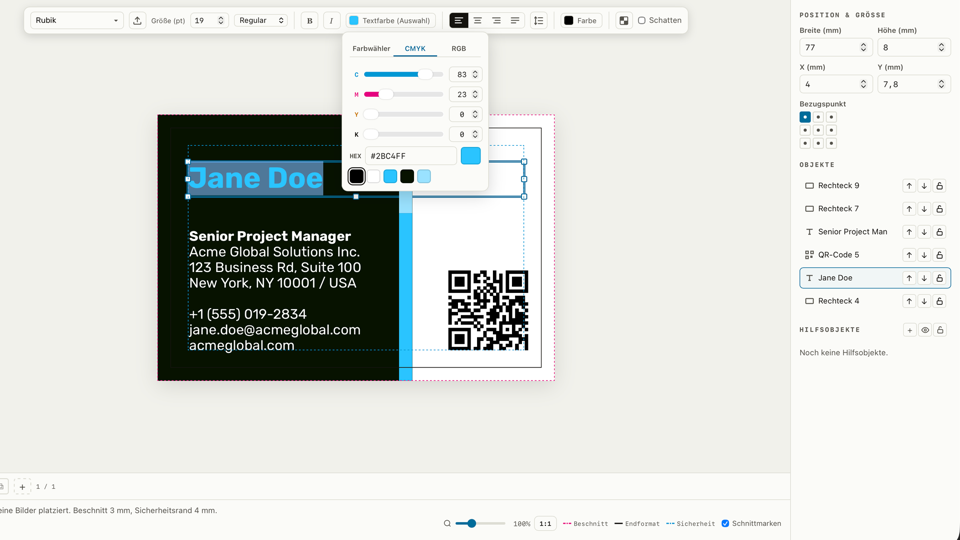
Every copy placed, nothing wasted
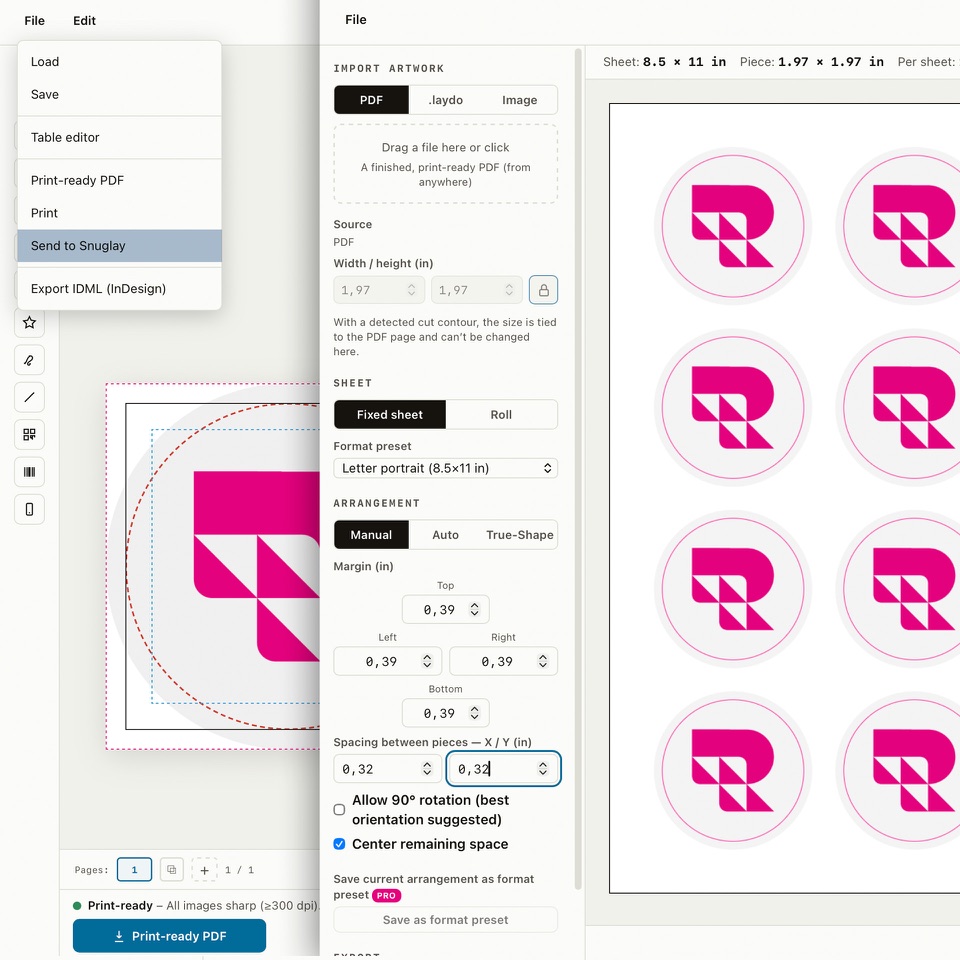
Send a finished design straight to Snuglay, the print family's nesting tool: it arranges as many copies as fit on a sheet or roll automatically, including true-shape nesting for freeform cuts and crop marks.
More: labels, stickers & multiple copies per sheet →Badges, tickets and start numbers for everyone at once
One template, one spreadsheet: mail merge fills names, QR codes and start numbers automatically and generates a single batch PDF – built for whoever would otherwise be retyping two hundred name badges by hand.
More: name badges, tickets & race bibs from Excel →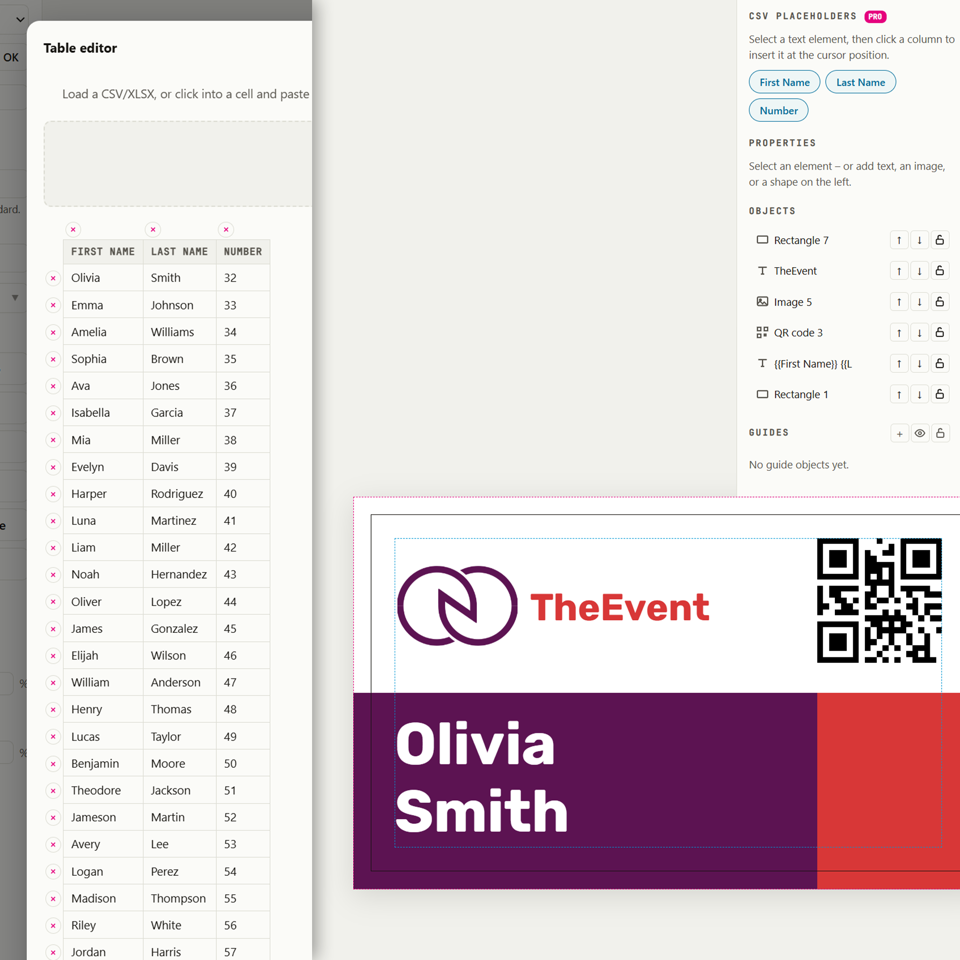
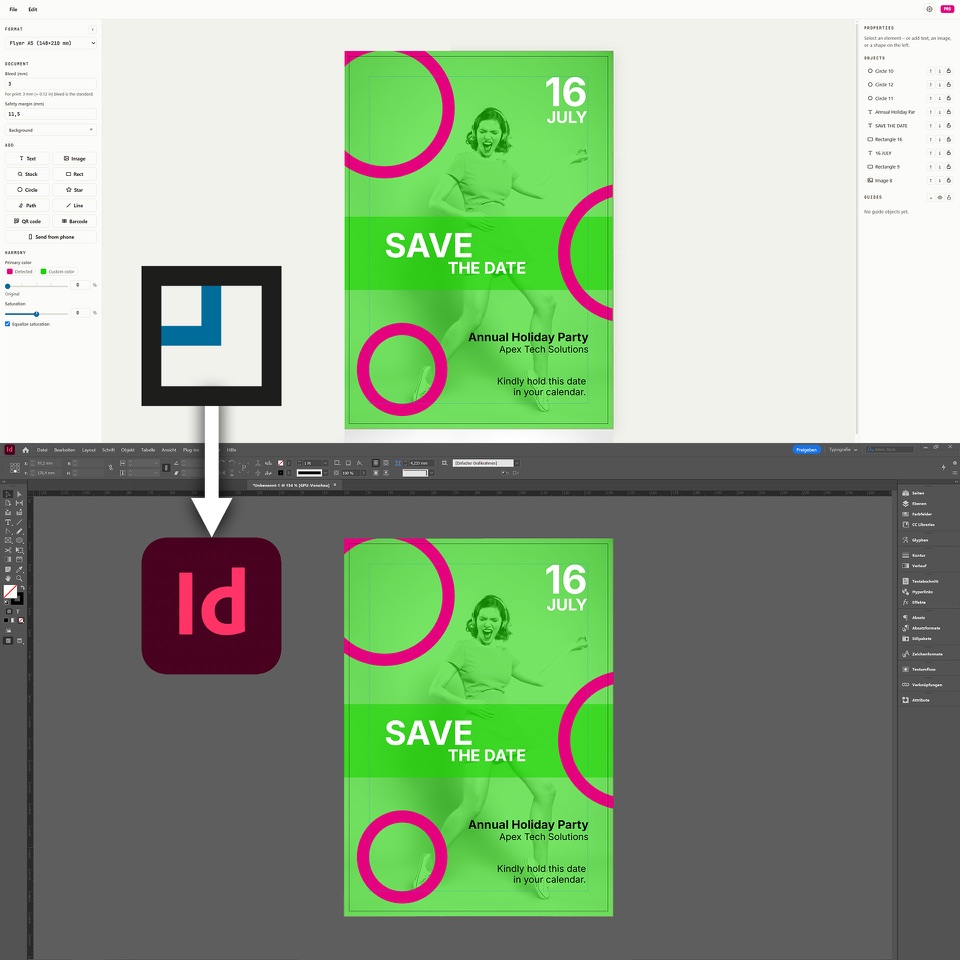
A fast, correct draft to hand off
Build the layout yourself – real CMYK, real embedded fonts, real vector import from Illustrator or PDF – then export to IDML and let a designer perfect it in InDesign, or send the print-ready PDF straight to the shop.
More: IDML for your designer & Brand-Kit handover for agencies →What it does
Built for print files, not patched on afterwards
Other tools are made for the screen. LaydoStudio knows the difference between a nice-looking image and a print file a print shop will actually accept.
Bleed, safety margin, crop marks – correct by default
Every new document starts with the right values: 3 mm bleed as the default, an adjustable safety margin, optional crop marks on export. On top, the Inspector checks your layout as you go, by prepress rules: lines too thin, type too small, text in the safety margin, fills stopping just short of the edge, rich black in small text and low image resolution – many fixable with one click, before your print shop spots them.
Fonts that won't get swapped at the print shop
Every font is embedded directly into the exported PDF – your print shop gets exactly what you see in the editor, no automatic substitute font, no shifted layout. 20+ fonts are built in, and you can upload your own on top.
Free, royalty-free stock photos, right in the editor
No tab-switching, no saving and re-uploading: the built-in search pulls from Unsplash and Pexels and drops the chosen photo straight into your layout, attribution included automatically.
Photos straight from your phone, no cloud involved
Scan a QR code, pick a photo – it lands in your layout via a direct device connection (WebRTC). No server upload, no detour through email or a USB cable.
QR codes and barcodes right in your layout
Add a QR code or barcode as its own element, type in the value – LaydoStudio generates it as a real vector graphic, scannable and crisp in the PDF export, no external generator needed.
Mail merge from CSV, Excel or copy-paste
One template, one spreadsheet — a CSV file, an Excel/Numbers file, or data pasted straight in: LaydoStudio fills text fields, QR codes and barcodes automatically for every row and generates a single batch PDF. Built for clubs and event organizers producing name badges, tickets or start numbers for many people at once.
IDML export for InDesign
Create the draft yourself in LaydoStudio, then hand it to a graphic designer to perfect in Adobe InDesign if needed – not an image export, but a fully editable layout.
Arrange multiple copies automatically – with Snuglay
One click sends your finished piece straight to Snuglay, the print family's nesting tool. Built for clubs, label makers and event organizers who print on Avery-style label sheets or similar pre-cut stock – Snuglay arranges every copy perfectly, automatically or manually, on a sheet or roll, including crop marks and true-shape nesting for freeform cuts.
Import vector artwork from Illustrator or PDF
Bring in a logo or existing artwork as an .ai or PDF file and it stays real vector data in your layout and in the export – scales to any size without ever going soft, not a rasterized placeholder. Free on every plan.
Brand-Kit: your corporate design, entered once
Company details, team members, brand colours with exact CMYK values, your logo in three variants and brand fonts – enter them once, drop them into any print piece with a click. Business cards for the whole team come out as a series, brand colours can be read straight from your logo, and when a phone number changes you update it just once. Pro.
More about the Brand-Kit →Your documents – saved automatically, in your folder
With Pro, LaydoStudio saves every document automatically: to a folder of your choice (including Dropbox, iCloud Drive or a network drive, in Chrome and Edge) or in your browser. Everything stays with you, never on our servers. New documents start from a product type – from business cards to window envelopes to posters.
Colours that go together
The harmony tool reads the colour mood from a photo or your logo and tunes new objects to match – a slider sets how closely. Brightness, contrast and saturation of your images, the crop and round or star-shaped frames you adjust right in the editor. Free on every plan.
Your data stays with you
LaydoStudio runs entirely in your browser – your layouts, images, documents and Brand-Kit are never uploaded to a server; they live in your own folder, in your browser’s local storage or as a file. Using it for free requires no account. With Pro, we also store your email address (for login) and your subscription status, payment is handled by Stripe, and your custom formats and settings are synced (can be switched off) so they’re available on every device. Besides that, stock photo search sends queries to Unsplash/Pexels, fonts are loaded from Google Fonts, and an anonymous, cookieless visit counter runs via GoatCounter.
Frequently asked questions
Q01Is LaydoStudio really free?+
The editor and print-ready PDF export are completely free, no account or credit card needed – you save your work as a .laydo file. A paid Pro plan (€6/month) adds unlimited pages, automatic saving of your documents, the Brand-Kit, mail merge (CSV, Excel, copy-paste) and IDML export.
Q02What is bleed and why does it matter?+
Bleed is extra artwork extending past the trim edge (3 mm by default in LaydoStudio). Without it, small cutting inaccuracies at the print shop leave a white sliver at the edge — many print shops will reject a PDF without bleed outright. LaydoStudio adds and checks it automatically.
Q03Does LaydoStudio export real CMYK PDFs?+
Yes — colors are converted to CMYK on export, not just relabeled RGB, so what you see matches what a print shop's press actually produces. Technically: a real ICC output intent is embedded — PSO Coated v3/FOGRA51 (European Color Initiative, eci.org) by default, or GRACoL2013 (Idealliance) automatically for inch/US users — and the file is marked PDF/X-4, the print industry's standard for reliable color-managed exchange.
Q04Will my fonts look different once printed?+
No — every font is embedded directly into the exported PDF, so the print shop receives exactly the typeface you designed with, never an automatic substitute.
Q05Which file formats can I export?+
A print-ready PDF with optional crop marks is free for everyone; Pro adds IDML export – build the draft yourself, then hand it to a graphic designer to perfect in Adobe InDesign if needed.
Q06Do I need a design background to use it?+
No — LaydoStudio is built for people without a graphic-design studio: sensible defaults like bleed and safety margin are set automatically, and the Inspector flags anything that would cause trouble in print – from lines that are too thin to type that is too small – before you export.
Q07Is my data uploaded anywhere?+
Not your layouts, documents or Brand-Kit — LaydoStudio runs entirely in your browser, and everything stays in your own folder, in your browser’s local storage or as a file. With Pro, we additionally store your email address (for login), your subscription status and your custom formats and settings (can be switched off), so they’re available across devices. Besides that, stock-photo search queries go to Unsplash/Pexels, fonts are loaded from Google Fonts, and an anonymous, cookieless visit counter runs in the background.
Q08What is mail merge for?+
It fills one template with names or other data from a CSV file, an Excel/Numbers spreadsheet, or data pasted straight from Excel/Numbers — built for clubs and event organizers producing name badges, tickets or start numbers for many people at once, generated as a single batch PDF automatically (Pro feature).
Q09Can I print on Avery-style label sheets?+
Yes — send your finished layout to Snuglay, the print family's free nesting tool, with one click. Built for clubs, label makers and event organizers, it arranges as many copies as fit onto a sheet or roll automatically, including crop marks and true-shape nesting for freeform labels.
Q10Can I import vector files like AI or PDF?+
Yes — place an Adobe Illustrator (.ai) or PDF file and it stays real, infinitely scalable vector data in your layout and in the export, not a rasterized image. Perfect for bringing in an existing logo or artwork, free on every plan.
Q11What is the Brand-Kit?+
The Brand-Kit (Pro) keeps your corporate design in one place: company details, team members, brand colours, logo and brand fonts. Ready-made blocks such as a contact block, return address or footer go in with one click and stay linked to the Brand-Kit. For several brands you simply create several Brand-Kits, and you can hand one over as a .laydokit file – for example from an agency to its client.
Q12Where are my documents stored?+
For free, you save and open .laydo files yourself, just like in a desktop app (File → Save). With Pro it happens automatically and stays with you: in Chrome and Edge in a folder of your choice (Dropbox, iCloud Drive or a network drive work well), in Safari and Firefox in the browser’s local storage – there you save a work package as a file now and then. Tip for Safari: add LaydoStudio to the Dock or Home Screen as a web app. Your documents never end up on our servers.
Ready for your first print-ready layout?
To get started: no account, no credit card, no download. Just open your browser.
Start the app →